The essential features of electronic key management
Managing physical keys effectively depends on having the right controls.
Choosing the right electronic key management solution for your enterprise
- Access control – this could be a simple pin. More sophisticated solutions offer access via security token or biometric control
- Inventory management – provides a way to catalog the keys in your cabinet. Your key will need to be attached to a fob to identify it in the system.
- User management – provides controls not only over who has access to the cabinet, but also manages who can access which keys stored in the cabinet.
- Reporting – management reports allow administrators to view all activity on the system including failed access attempt
- Tamper alarm – some sort of alarm is essential should someone try to brute force the cabinet open or extract a key to which they do not have permission to access
- Power backup – backup power supplies are essential in the event of power failure.
Flexible, scalable, enterprise key management
Intelligent key cabinets are electronic key cabinets that can be integrated and scaled across sites easily and can be managed through a common control system.
Many organizations already have some form of digital access control such as proximity cards and readers or log-in credentials to access IT systems. With integrated electronic key management you can wrap the same access controls around physical keys and equipment.
The benefits of electronic key managenent:
- Simplified administration - Streamlining administration by controlling access through a central data source to control access across staff and security applications.
- Real-time controls – add or remove users quickly and easily and view transactional data in real time.
- Distributed administration – enable the site or team managers to add new users to the system as needed, to speed up staff onboarding.
- Role-based access – allowing you to set up users on the system quickly and simply using security templates to provide access to only the items and areas required for that employee to do their job.
- Accurate record-keeping - maintain an auditable log of activities.

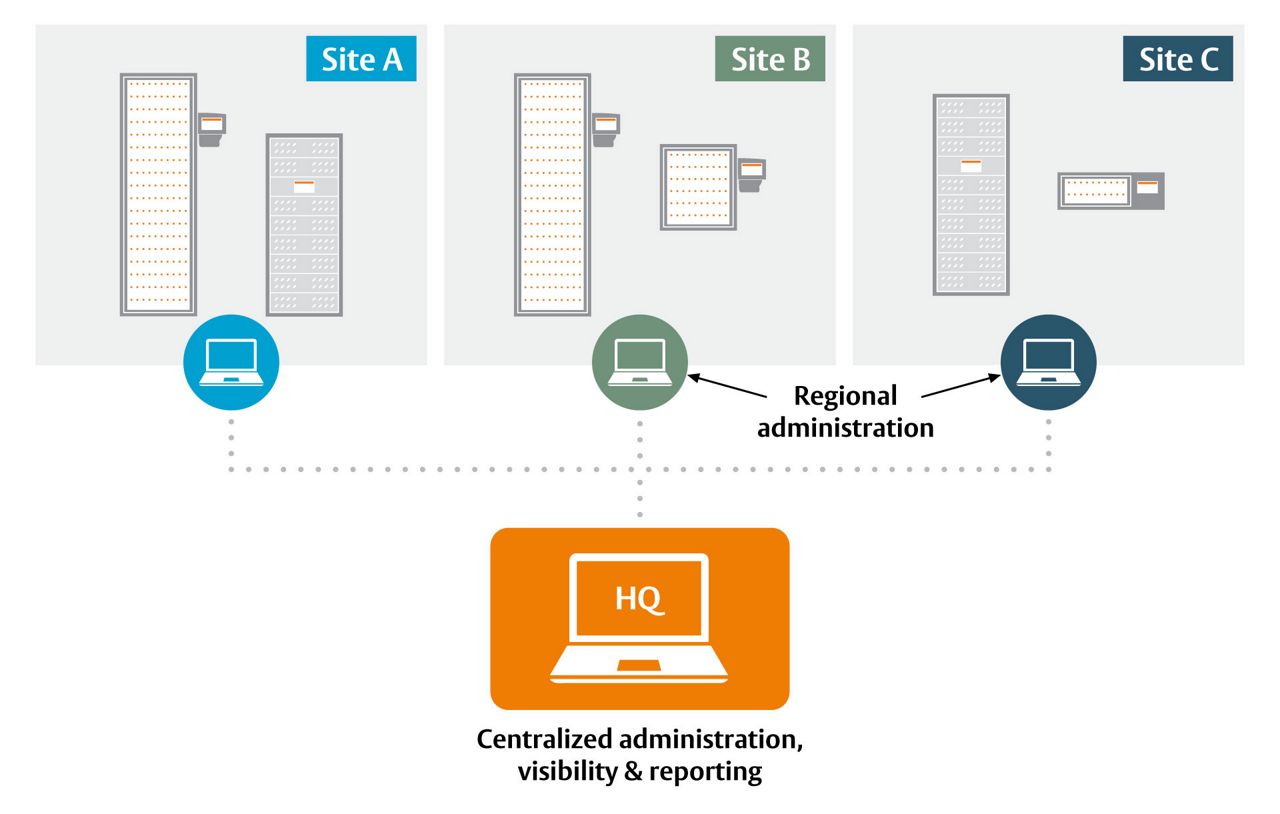
Better still, electronic key management software combined with traka integrations work with existing access control and hr systems to provide granular controls as to who can borrow a key and when. You can restrict access and return times to support shift patterns or require additional authorization for specialist equipment or controlled items. This means that your key cabinet doesn’t just help you manage keys but can also help you enforce safe working practices and support compliance.
Traka intelligent key cabinets
These in-built controls are just a starting point. With rich integrations, TrakaWEB key control software can send notifications to networked control systems to support more sophisticated compliance models. Our installation teams are experienced in supporting a range of workflows and logical rule sets where this sort of regulation is required. For example, our key cabinets support Lock-out, Tag-out, and Try-out isolation procedures for handling hazardous situations in the mining industry.
- Booking schedule – enable staff to book items ahead of time, ensuring that items such as vehicles are available at critical times.
- Distance/Mileage/Fuel recording – require that the mileage is recorded after a borrowed vehicle is returned
- Conditional access – perform additional checks against a user for example that their license is still valid and their training is up to date.
- Fault logging and fault logging alerts – collect a fault report when an item is returned. If a fault is recorded a key can be removed from circulation until the issue is reviewed and remediated.
- Reason logging – recording for what purpose the item is required
- Maintenance lockout – centrally prevent items that need maintenance are borrowed
- Curfews – provide a curfew by which an item must be returned. Create alerts if the item is not returned to the schedule.
- Secondary authorization controls – for restricted items require that two or more signatories authorize item checkout.
Integrated key management supports security, process and safety
Integrations can be a powerful way of streamlining user management and reporting. You will want to consider what integrations you may need. Our systems can operate in isolation and then be integrated with new access management and control systems.
Building access control systems has been mentioned previously as a possible integration., but organizations often have other security, process and human resources systems that might effectively interface with a key cabinet to provide streamlined management and workflow controls.
What is a key management solution?
In very simple terms a key management solution is comprised of four components:
Storage
A method for storing keys
A lock or access control
to secure the keys and stop people from simply taking them
Distribution
a way of sharing keys with the people who need them
Event logging
a log of all keys borrowed and returned
The problem with traditional lockable key boxes and cabinets
Simply restricting access to keys isn’t the answer.
When a business is small, this may be relatively easy to do by entrusting the keys to one person. In time this approach can become a bottleneck and worse, a security and safety vulnerability as the business scales. Moreover, one person has the responsibility (and inevitable headache) of having to account for keys if someone has borrowed them. It isn’t an efficient or scaleable process, adds complexity and a manual overhead.
Shared access to a key safe or cabinet isn't an answer.
With no record-keeping how do you know who last had the key? Without access to those keys and equipment is a vulnerability that at the very least can cause inefficiency but also has the potential to compromise site security. In addition, sharing the keys might require labeling, making it easy for someone unfamiliar with your business to identify what the key is for if it falls into the wrong hands.

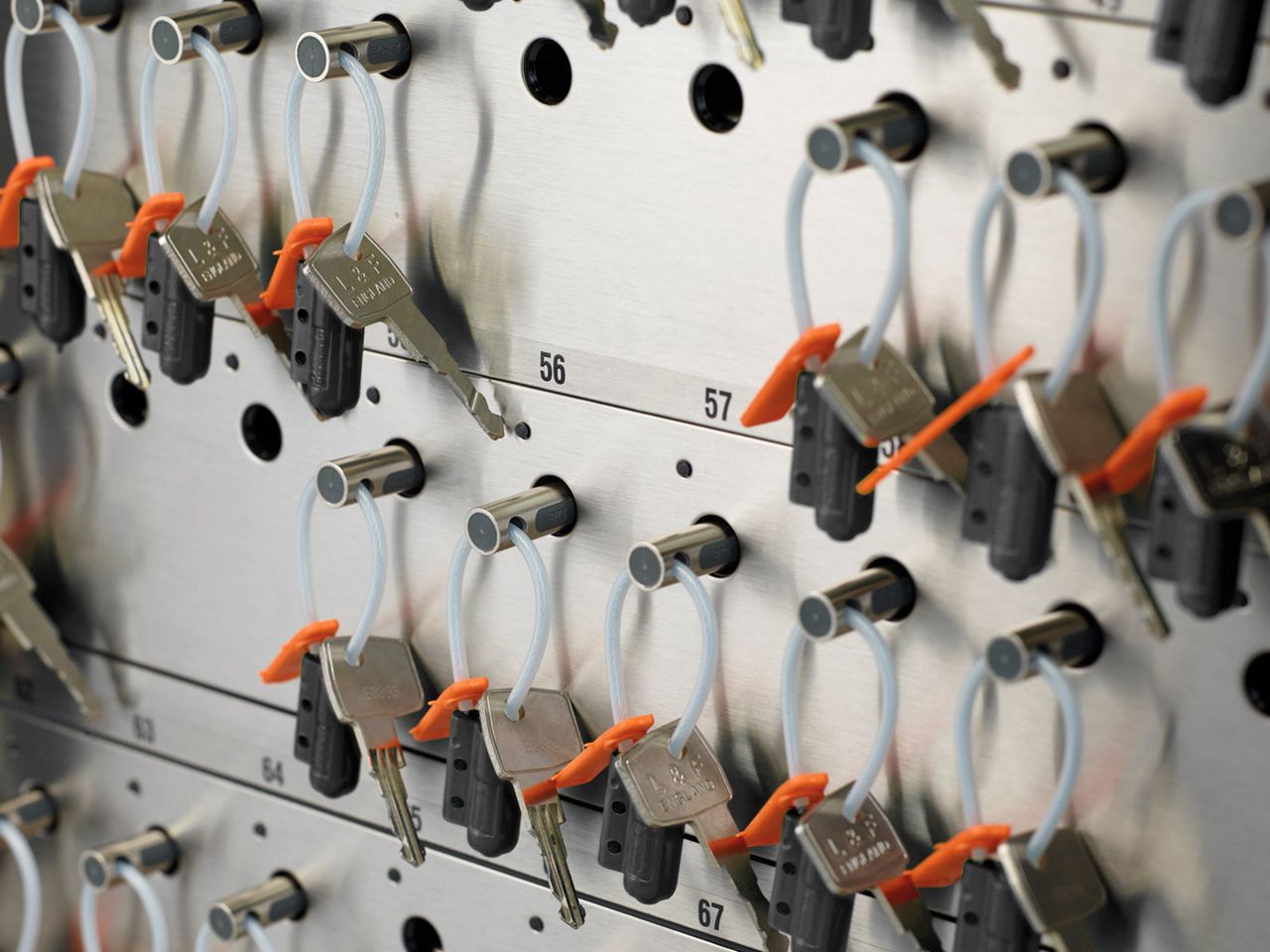
Electronic Key management is the most effective solution
Electronic key management is a solution that provides timely and controlled access to tools and equipment. Modern workplace management relies on good processes. Process improvement focuses on how to remove blocks and barriers to productivity. By choosing the right electronic solution you can secure and manage keys and automatically log and audit usage and support other workflows such as those needed for compliance or safety.